Microsoft Teams Call Analytics & Call Queuing

Improve caller experience and employee productivity with ISI’s advanced Microsoft Teams reporting.

ms-teams-cdr-banner

Microsoft Teams Queue Reporting & Analytics

What is a Teams call queue dashboard?

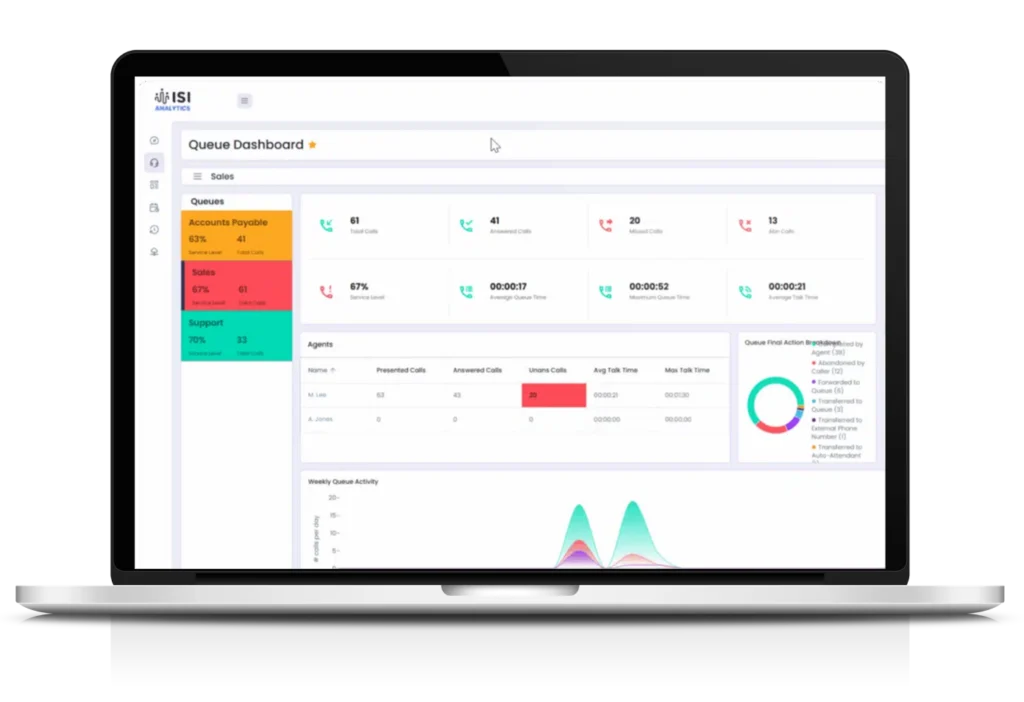
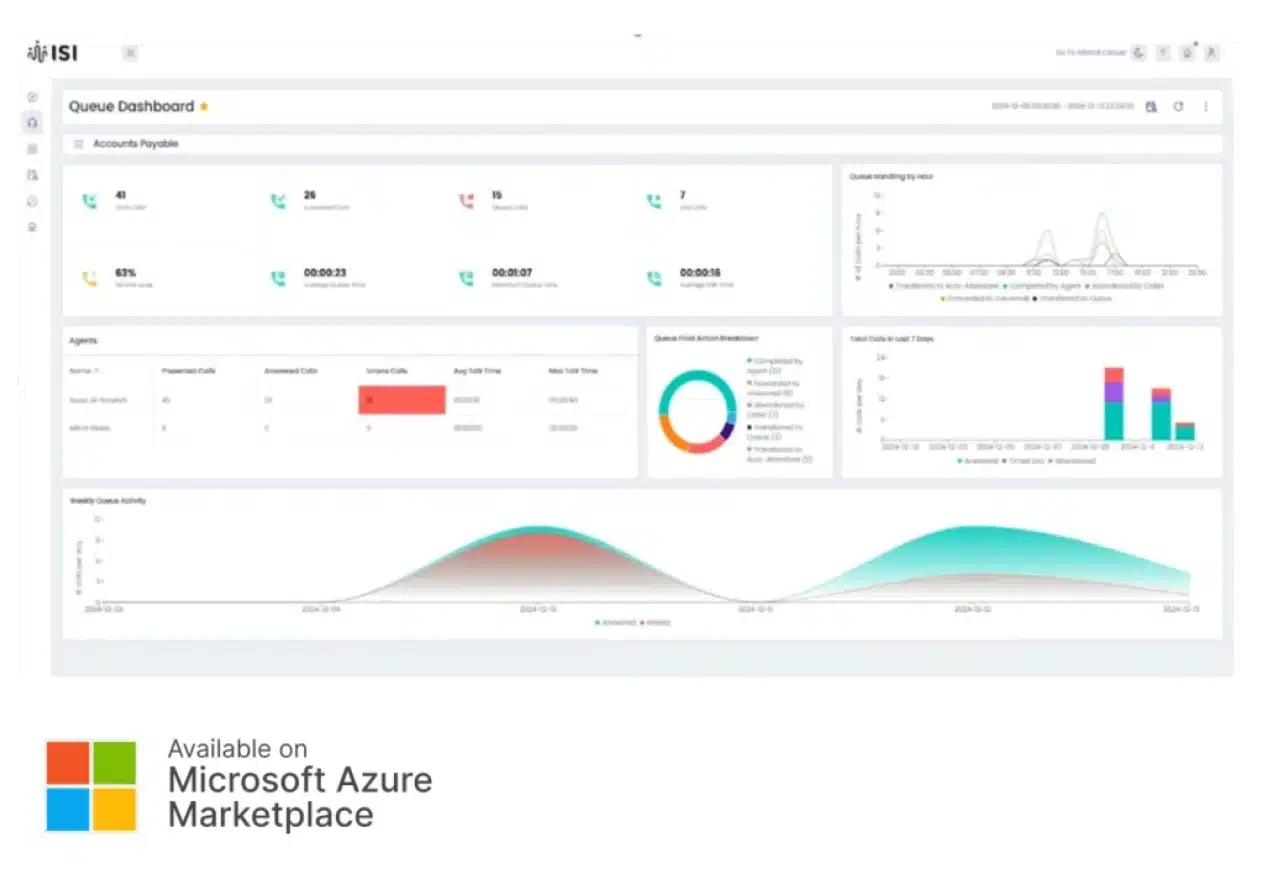
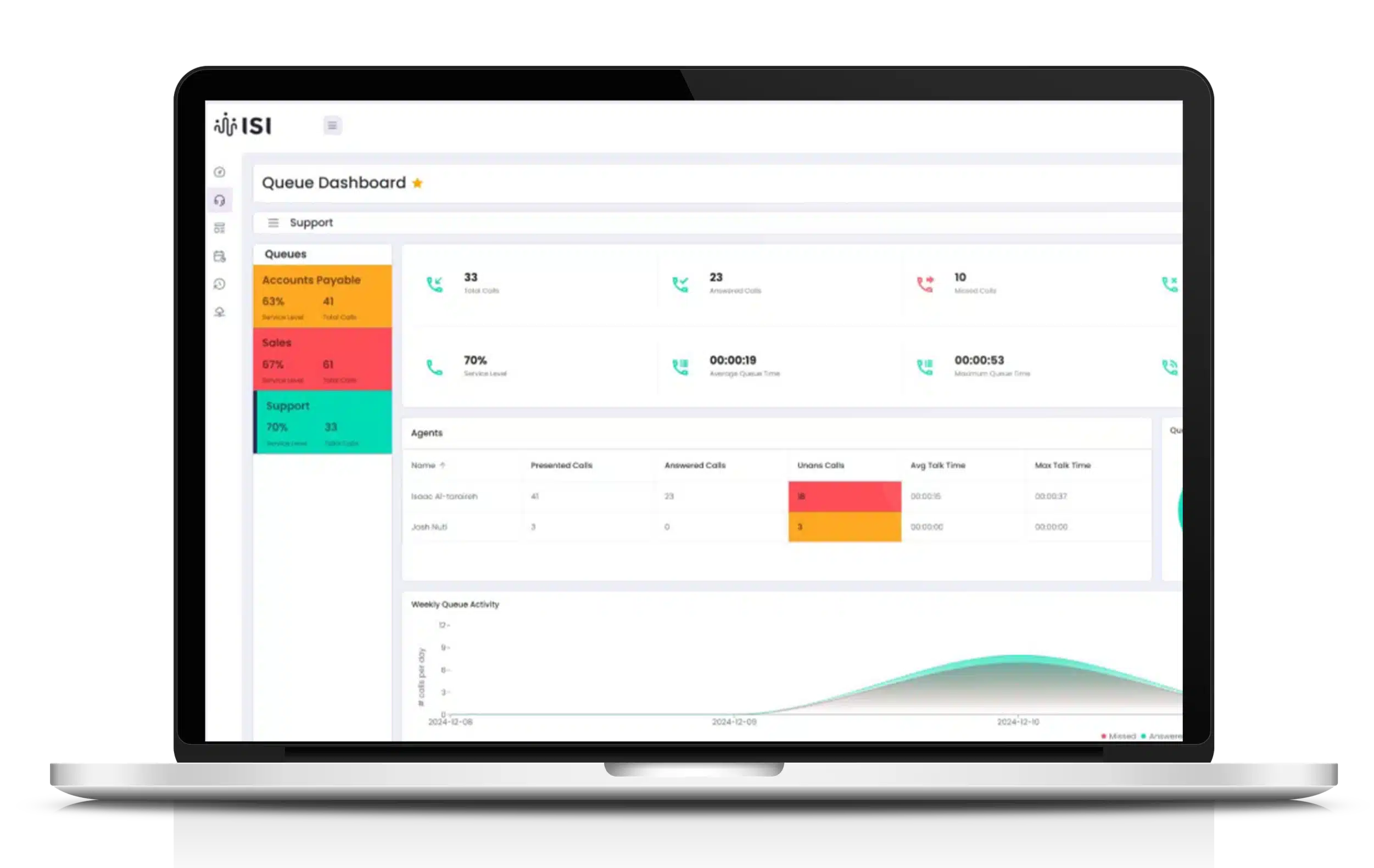
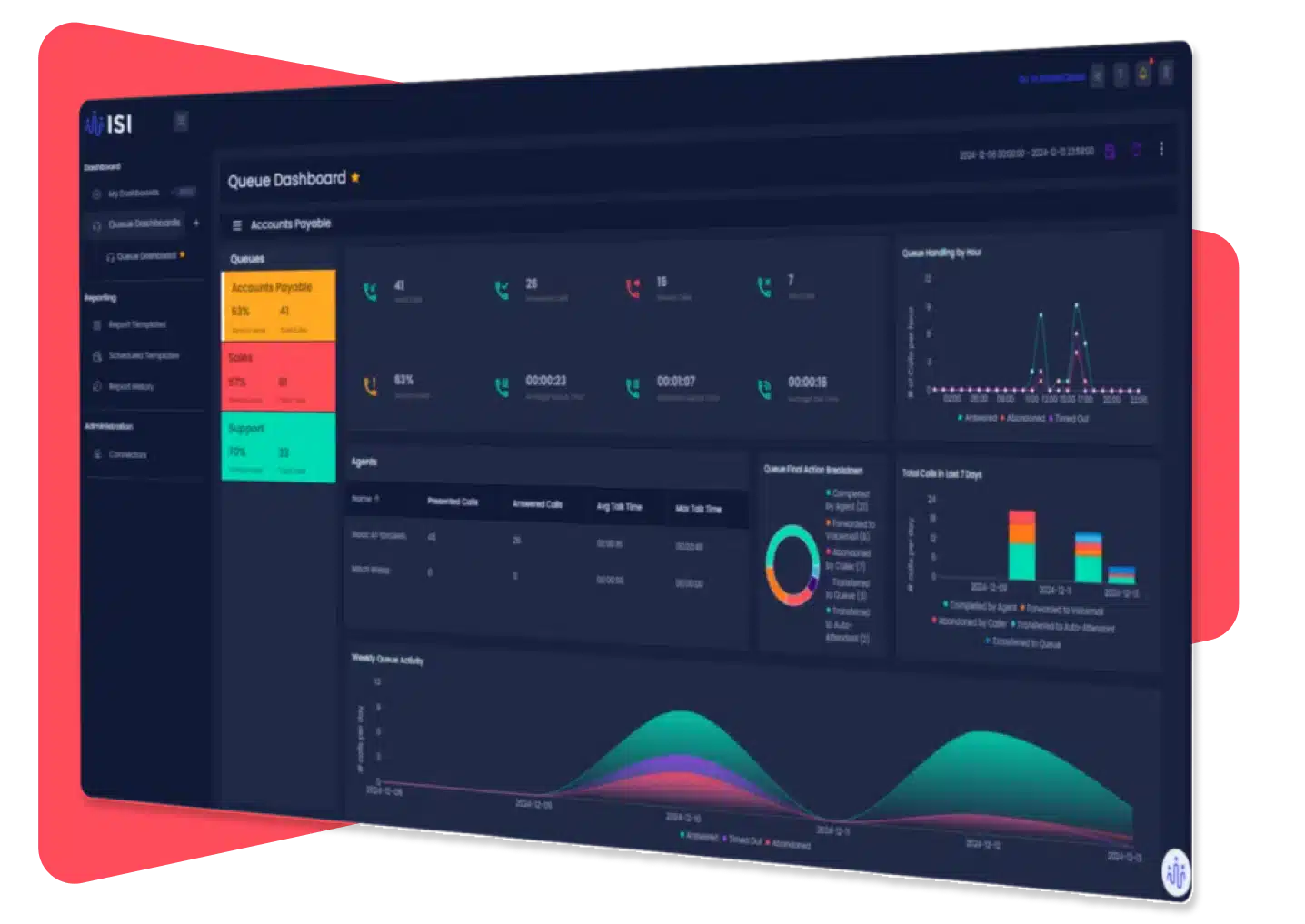
A Microsoft Teams call queue dashboard provides a centralized view of real-time and historical call activity across Teams call queues and auto attendants. It helps teams monitor call volumes, wait times, abandoned calls, agent availability, and handling times in one place, without manually exporting or compiling reports.

Native Microsoft Teams reports provide baseline metrics but leave major operational blind spots. ISI’s call analytics bridges the gap, turning raw Call Detail Records (CDRs) into real-time business intelligence.

Go Beyond 45-Day Limits: Access 13 months of data, with unlimited historical archiving.

Cradle-to-Grave Visibility: Track every call from first ring to final disconnect, including transfers and holds.

No Power BI Required: Get business-ready dashboards without costly, high-maintenance custom builds.

Most queue problems start before the queue. ISI reports on Microsoft Teams auto attendants alongside your call queues, so you can see which menu options callers actually choose, where they abandon during the greeting, and how many end up in the wrong queue.

See Our Teams Call Queue Dashboard in Action

Jump right in with this quick tutorial to see how our Teams call queue dashboard tracks queue performance, agent status, and calls forwarded to voicemail in real time.

Optimize Every Teams Call Queue Across Your Organization

Microsoft Teams offers built-in call queues, but managing them at scale requires deeper analytics. ISI gives team leads and operations managers a single view of queues, auto attendants, and hunt groups.

Historical Metrics: Track volume, ASA, AHT, and abandonment by queue.

Agent Performance: Analyze agent activity, occupancy, efficiency, idle time, and coaching opportunities.

Smarter Staffing: Identify peak hours and optimize agent schedules to reduce wait times.

Powerful Teams Queue Analytics

Gain Call Center-Like Metrics Without the Complexity of Deploying a Contact Center

Leverage ISI Analytics for better caller experience insights. ISI Analytics is the only platform with reporting for Microsoft Teams call queues and auto attendants. With Teams queues and ISI Analytics, you get a robust, low-cost alternative to expensive contact center infrastructure.

Powerful Microsoft Teams Call Reporting Features

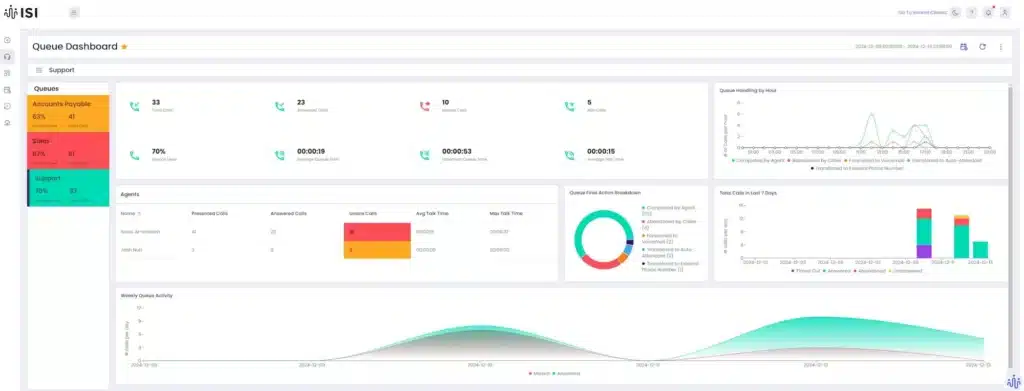
Track total call volume, agent availability status, answer vs. abandonment rates, and individual calls handled by agents directly from your dashboard in real time.

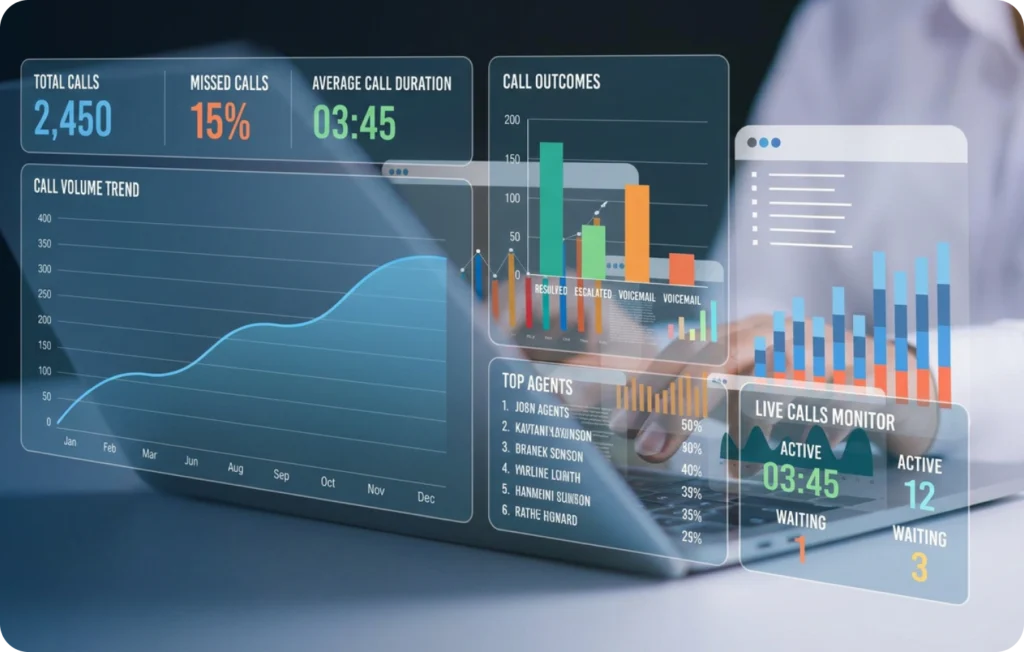
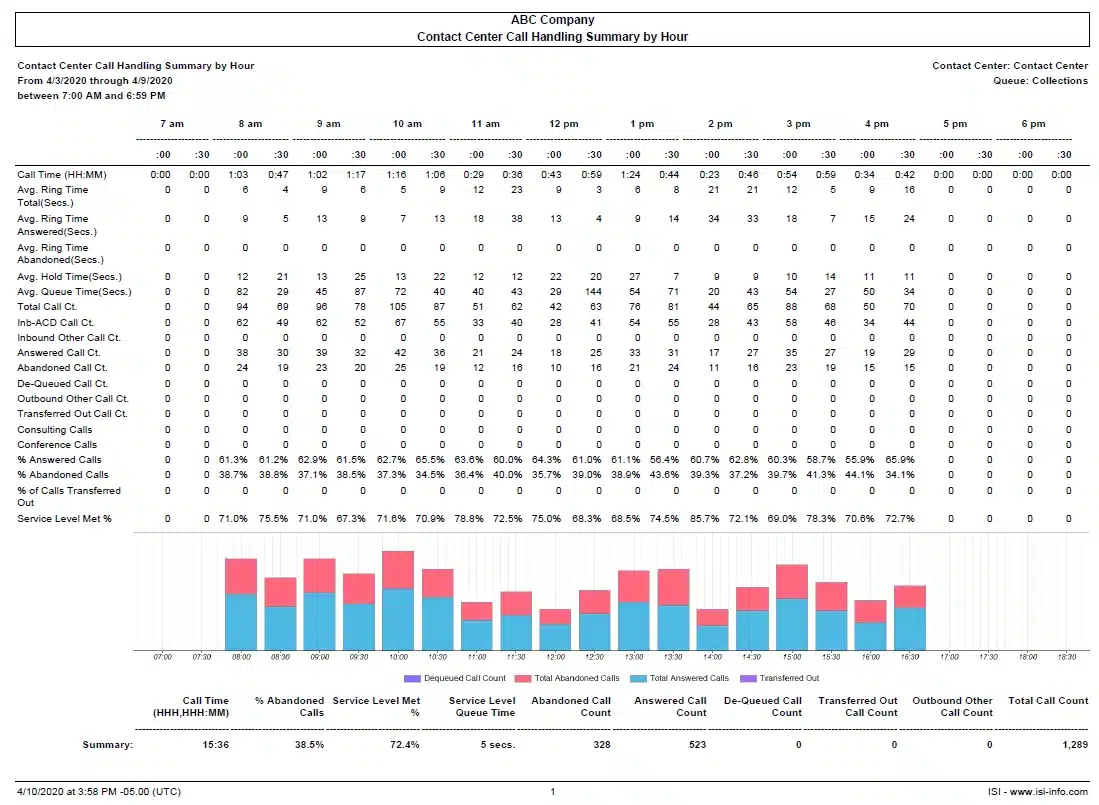
Reveal overall traffic and handling stats with daily, weekly, and monthly reports. Use hourly metrics to optimize staffing decisions, and use drill-down call exploration to reveal transfers, redirects, and time agents spend with individual callers.

Contact center call handling summary by hour report

Access out-of-the-box Queue Summaries to supervise and manage multiple queues at once, track call activity by day or hour of day to capture trends, and pull granular Call Detail by Agent reports for specific performance insights.

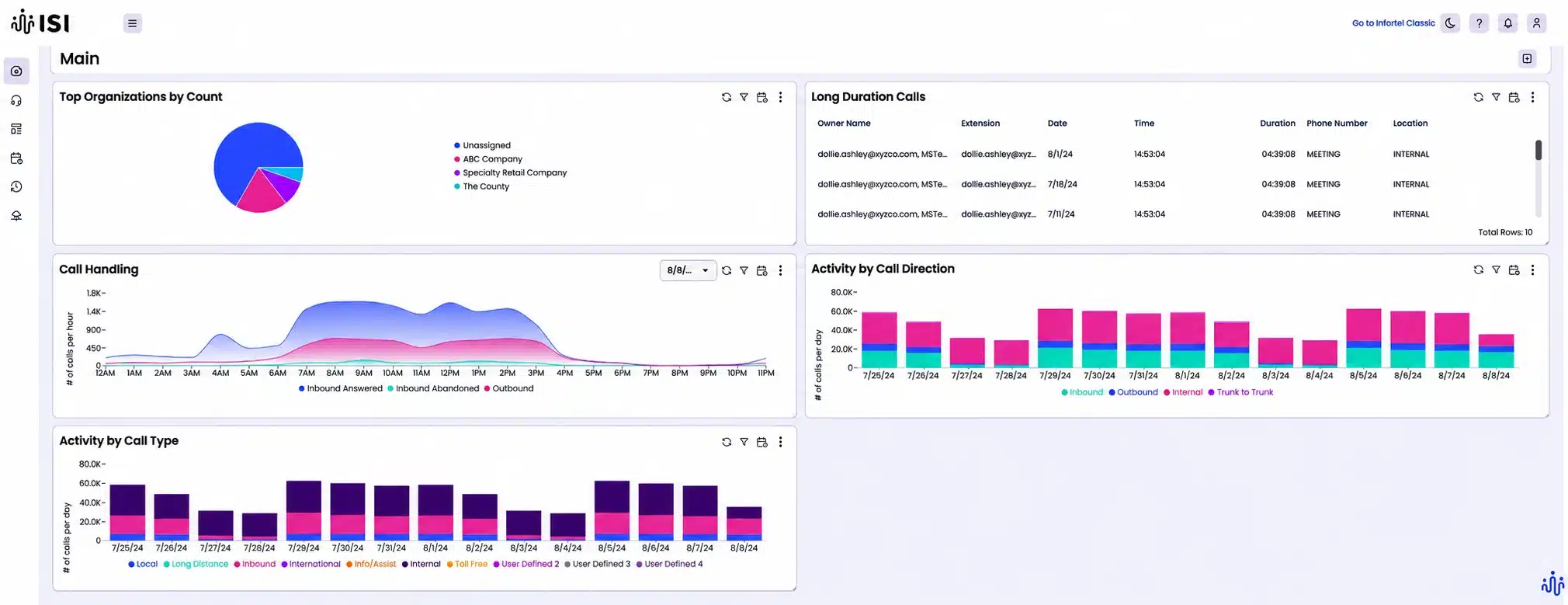
ISI Analytics main dashboard with call handling and activity charts

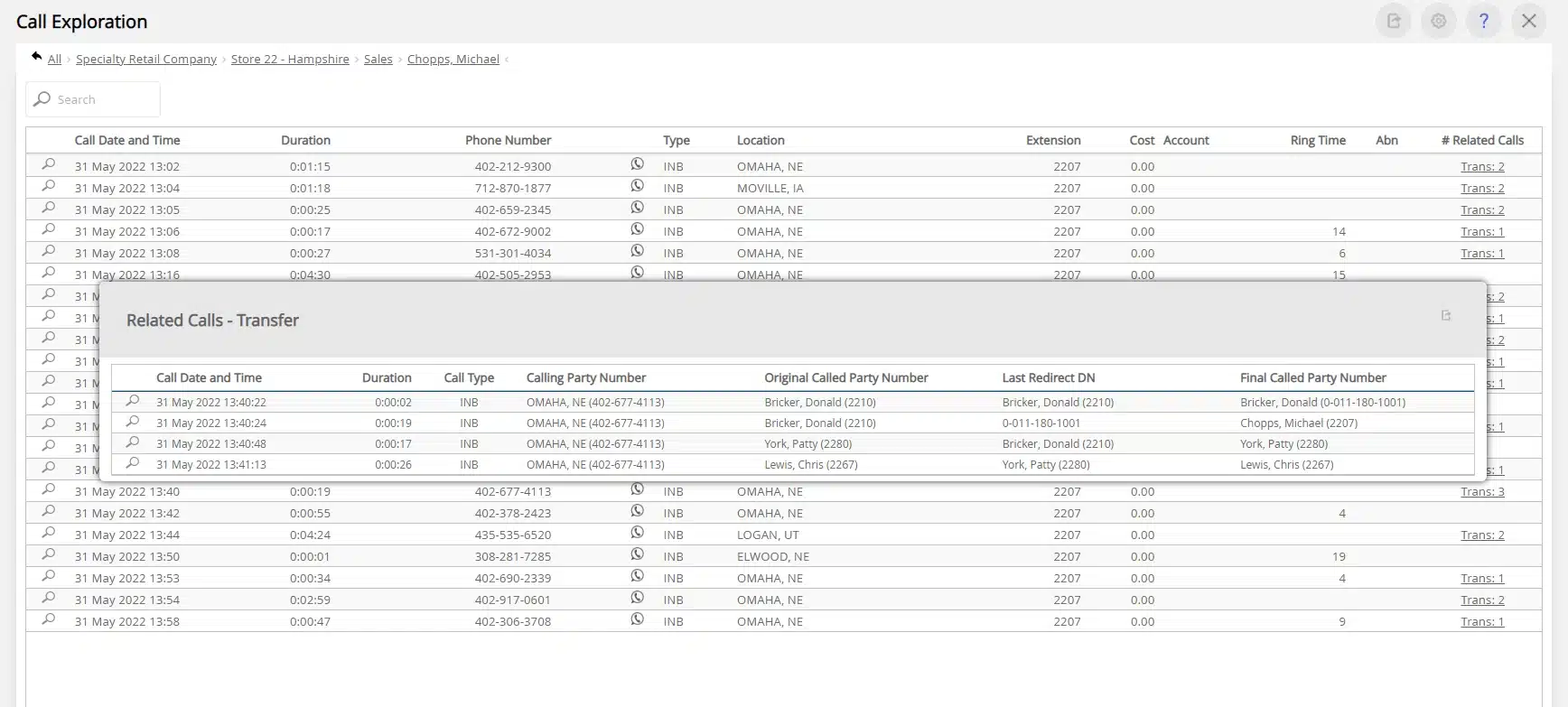
See the entire customer call journey from before it reaches a queue to after it leaves the queue

Call exploration showing related transfer calls, cradle to grave

Power up your Microsoft Teams Reporting

Compare what you get from ISI vs Native Microsoft Teams Reports
Feature Native Reporting ISI Analytics
Data retention
Only basic queue metrics via Power BI
Full call queue and auto attendant analytics - the only platform with this
Historical Data
Limited to 45 days
Unlimited data retention with full historical analysis
Caller Experience Tracking
Limited visibility into call routing
Cradle-to-grave reporting reveals full call journey, including transfers
Employee Engagement & Staffing
Limited visibility into usage and scheduling patterns
Comprehensive tracking of productivity, work patterns, and data-driven staffing
Power BI Integration
Complex setup, requires extensive Power BI knowledge
Ready-to-use dashboards without Power BI complexity
Call Compliance
Limited search and retention
Ad-hoc search by all call attributes with unlimited retention
Meeting Analytics
Basic meeting summaries
Full Teams meeting reporting including organizer, participants, durations
Device Type Analysis
Limited device tracking
Troubleshoot and monitor technology adoption across Teams devices
Exception Reporting & Alerts
Basic notification system
Customizable alerts for international calls, after-hours calls, phishing, 911 calls
Teams Auto Attendant Reporting
Limited visibility
Complete auto attendant performance analytics

Queue Analytics Pricing

Choose the plan that’s right for your team

Basic

Queue analytics for small teams

$300 /mo

Includes up to 3 queues

  • Maximum 3 queues
  • Queue analytics dashboard
  • Manager/agent access
  • 90-day data retention
  • Queue monitoring
  • Queue detail reports
  • Agent detail reports
  • Outbound calling visibility (not included)
  • SAML 2.0 SSO (not included)
  • Data retention beyond 90 days (not included)
  • Summary reports (not included)
  • Managed services (not included)

Essentials

Advanced queue analytics for growing organizations

$400 /mo

For the first 3 queues

Additional queues: $25/mo

  • Everything in Basic, plus:
  • Up to 50 queues
  • 400-day data retention
  • Queue summary view
  • Agent summary view
  • Outbound calling visibility (not included)
  • SAML 2.0 SSO (not included)
  • Data retention beyond 400 days (not included)
  • Managed services (not included)

Enterprise

Comprehensive queue and call analytics

$750 /mo

For the first 3 queues and 100 users

Additional queues: $35/mo

  • Everything in Professional, plus:
  • No limit on queue licenses
  • CDR dashboards (non-queue)
  • CDR reporting
  • Department cost allocation and chargeback
  • Compliance CDR capture
  • API data export

Ready to Transform Your Microsoft Teams Analytics?

Empower Your Communications with Microsoft Teams and ISI Analytics  


Simplify Your Call Analytics

Your team shouldn’t spend hours building dashboards when they could be making strategic decisions. ISI Analytics gives you complete call queue visibility from day one.
Video
Queue Analytics Demo

Quickly View Queue Wait Time in Microsoft Teams and Webex Calling

Brochure
Microsoft Teams Queue Detail Sample Report

View Comprehensive Call Handling & Performance Insights for MS Teams Queues

Verint Capture for Microsoft Teams
Brochure
Financial Services
Verint Capture for Microsoft Teams

Compliance recording for Microsoft Teams calls, meetings and chats

Teams Reporting and Dashboards That Deliver Value Organization-Wide

See why Valpak chose ISI for Microsoft Teams Queue Analytics

Microsoft Teams Call Analytics & CDR Reporting

Empower your organization with ISI’s robust MS Teams call reporting engine, dashboards, and alerts.

Caller Experience

  • Cradle-to-grave reporting quickly reveals problematic call routing
  • Identify excessive transfers and determine the appropriate corrective action.
  • Dashboards and reports tailored to managers/departments

Alerts and Notifications

  • Exception reports, customizable widgets, and user-definable alarms help automate detection and notification of undesirable call events
  • Trigger email, text message or scheduled report generation for international calls, after-hours calls, potential phishing, 911 calls, or other call events

Employee Productivity

  • Analyze calls made/received, traffic by time of day and call duration
  • Improve staff scheduling efficiencies with call activity metrics
  • Recognize high performers and target training opportunities

Device Type Allocation

  • Troubleshoot, monitor technology adoption and identify unused or underused equipment with Infortel Select’s Device Type Utilization visibility
  • Device type information is made available through a variety of reports and handy dashboard widgets

Call Data Compliance

  • Track inbound and outbound call activity associated with users and organizational units.
  • Quickly search call records using supported attributes. (originating or terminating party, number, caller ID, department, time, hunt group or call queue)
  • Unlimited data retention

Cost Allocation

  • Support Finance teams with robust call accounting
  • Monitor for waste, abuse, and misuse of voice network resources

Customer FAQs for Microsoft Teams Phone

01 How does ISI Analytics' solution help organizations?

ISI Analytics gathers and analyzes data from Microsoft Teams, transforming raw call information into actionable activity and performance insights. With its intuitive dashboards and built-in reporting tools, ISI Analytics helps users explore detailed reports, search and filter data, and use these insights to enhance their Teams calling experience.

Yes. ISI Analytics provides detailed reporting and dashboards for Microsoft Teams Call Queues and Auto Attendants. You can track metrics such as call volume, abandonment rates, Average Handle Time (AHT), Average Speed to Answer (ASA), and full call routing paths. See short video: https://www.youtube.com/watch?v=HBcNsXxefho

Yes. ISI provides visibility into agent activity for inbound and outbound calls, including:

  • Who called?
    • Caller Details
    • Caller Location
    • Caller ID Name
  • How was the call handled by the Agent?
    • Agent Start Time, Agent End Time, Talk Time, Queue, Queue Location

Agent, Agent Location, Answered, Agent Final Action, Agent Final Destination

Yes. ISI enables visibility into individual user activity, including inbound, outbound, and internal calls. Metrics include:

  • Call Duration
  • Call Volumes

Full visibility into Teams Meetings, including attendees, organizer, durations, and meeting summaries. Reports are available by department, meeting ID, and more.

Yes. Alarms and exception reports can flag inappropriate, excessive, or high-cost calls, helping identify the responsible party and enforce policies.

Yes. Track call volumes by type, time of day, and user to analyze productivity, performance, coaching needs, staffing requirements, and engagement levels.

Yes. Optional features include automatic call recording and transcription for compliance, training, or QA purposes. Recordings can be securely stored and accessed alongside call analytics.

Yes. Managed Service Providers (MSPs) can use ISI to offer analytics and reporting across multiple tenants. Centralized or tenant-specific views can be configured.

01 How long does ISI Analytics keep the data?

Data retention depends on which subscription plan is selected, see below:

  • Basic includes up to 90 days
  • Essentials includes up to 13 months
  • Professional and Enterprise include up to 13 months of retention, with an option to purchase additional retention.
  • See Plan Pricing here: https://isianalytics.com/pricing/

Yes. ISI supports full reporting across internal, external, PSTN, and peer-to-peer calls.

Yes. You can report on inbound, outbound, internal, and peer-to-peer calls beyond call queues.

During implementation, a Teams Admin grants permission via Entra ID by enabling toggles for CDR, Queue data, and Entra ID group access.

Yes. For MS Teams, we advise customers to add the users they want reporting on into their Microsoft Entra ID groups so we can only import the users they need. When connecting to your queue data, you can see all the queues and select which ones you want reporting on through our web UI.

Yes. ISI allows users to schedule automated reports by user, group, or queue on a daily, weekly, or monthly basis. Reports can be delivered via email or exported in preferred formats.

01 Does the solution come with out-of-the-box reports or do we need to create business-centric reports from scratch?

The solution comes with a menu of pre-defined reports aligned around the most popular business needs as well as an end-user customizable report designer to modify standard reports or create new reports from scratch.

Yes. ISI reports on key productivity metrics such as:

  • Agent handle time
  • Answer/missed call ratios
  • Ring time
  • Agent availability and presence (Coming in Q1 2027)
  • Call transfer behavior

Yes. Reports can be automatically delivered via email on a recurring schedule (e.g., daily, weekly, monthly) to specified users.

Yes. ISI provides end-to-end call tracking, including:

01 What on-premises equipment is necessary to support this application?

None. ISI Analytics is 100% cloud-based and accessed via a secure browser.

Yes. ISI works across all three. For Direct Routing, trunk-level visibility may require SBC access.

Yes. ISI supports multi-platform analytics, including Microsoft Teams, Webex Calling, Cisco UCM, and legacy PBXs.

Yes. ISI is cloud-hosted, with options for data residency and compliance with SOC 2, HIPAA, ISO, and BAA/NDA requirements.

Yes. ISI supports data exports and APIs for integration into data warehouses or external reporting tools.

Yes. ISI supports role-based access control (RBAC), enabling non-admin users such as team leads and department managers to access dashboards and reports without full Teams admin privileges. See short video here: https://youtu.be/rRTuETYNADE?si=MEV5nCJW1nuP6zse

No. There is no native integration to CRM platforms today. However, ISI does offer a flexible API that customers can leverage when building an integration to other database platforms.  For example, linking caller data to customer records for viewing call history tied to client cases or accounts.

01 What are the licensing options and how is pricing structured?

Pricing is based on the total number of users and/or the total number of queues, and there are many options to choose from.

See pricing options here: ISI Analytics pricing

Yes. Start a free trial of ISI Analytics to see your own queues in the product. ISI also provides live demos and proof-of-concept options to validate the solution in your environment before committing.

01 Where is ISI hosted? Is it compliant with security standards?

ISI is a secure, cloud-hosted SaaS platform within Microsoft Azure. Compliance options include:

During implementation, the customer’s Teams Administrator will grant permission using their Entra ID tenant ID and will select from three toggle buttons: CDR, Queue data and Entra ID.

Contact sales to get started.

Harness the full potential of your call queues with ISI’s state-of-the-art reporting and analytics for Microsoft Teams.